Skip to content
English
  • There are no suggestions because the search field is empty.

MAP61 GENII to RAY Upgrade Instructions

This article explains the process on how to upgrade MAP61 GENII to WingtraRAY 

Important:
After upgrading to a WingtraRAY payload mount, reverting the payload to a WingtraOne GEN II mount is not supported and will void the warranty.
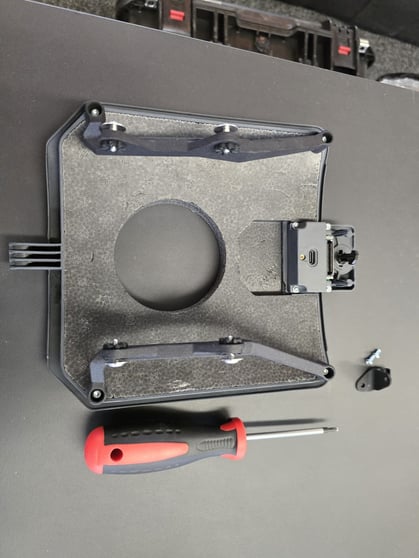
 

Tools needed: T10 screw driver (not Torx Plus)


#

Illustration

Instructions

Disassemble GENII Payload

1

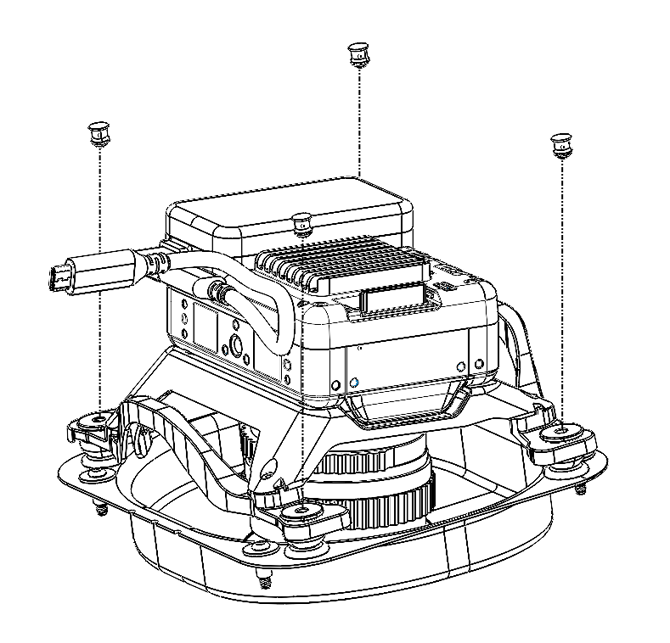
  • Pull the 4 pins out of the rubber balls

2

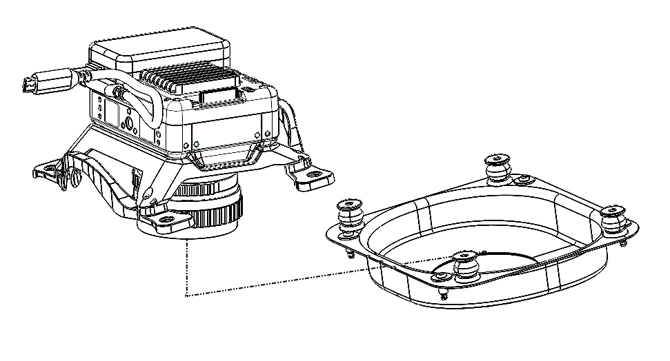
  • Pull the rubber balls out of the bracket and put the lower cover aside.

3

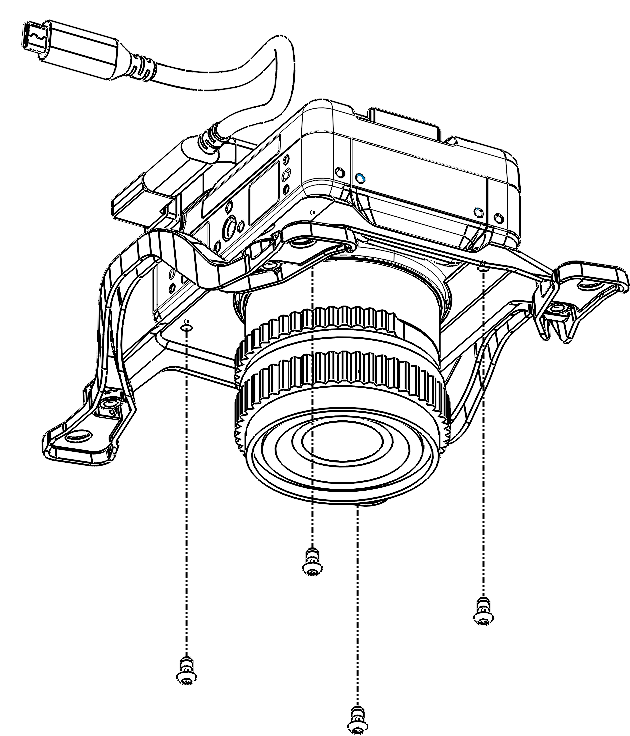
  • Loosen and remove all four T10  screws from the bottom of the camera body.

4

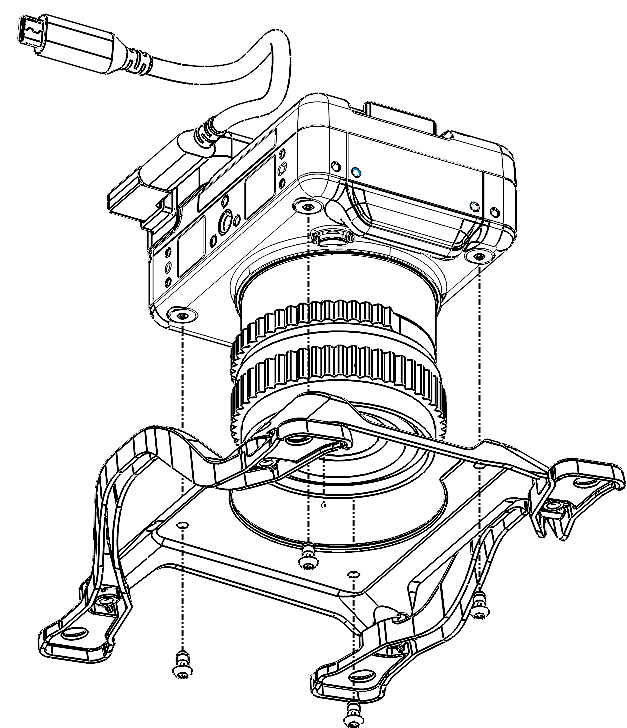
  • Remove the bracket

Upgrade to WingtraRAY Payload

5

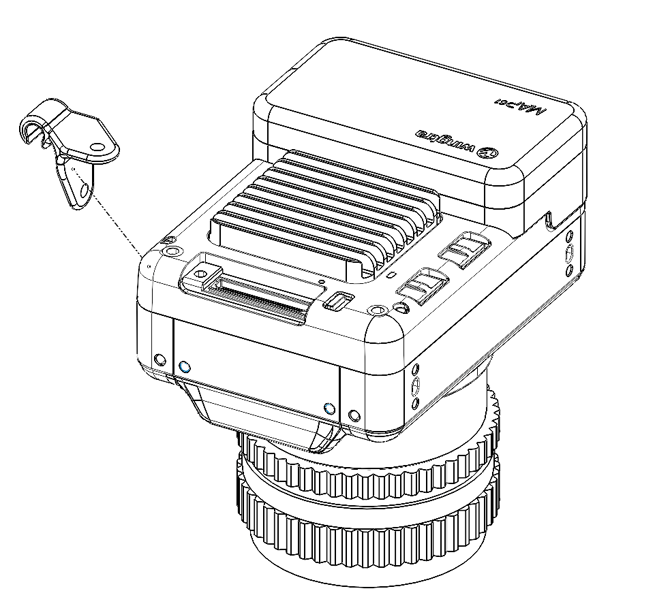
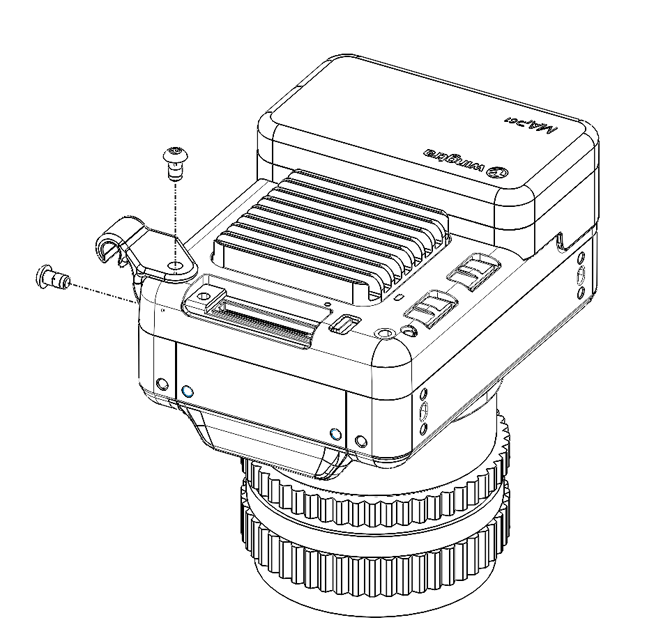
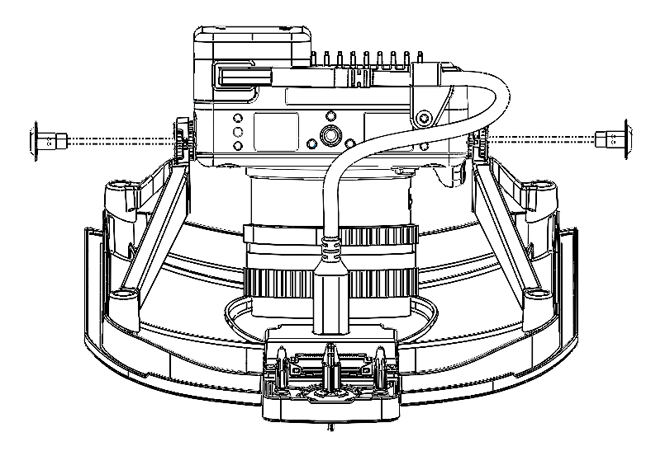
  • Place the cable retainer on the corner of the camera body and secure it with the 2 T10 M3x6mm OG

6

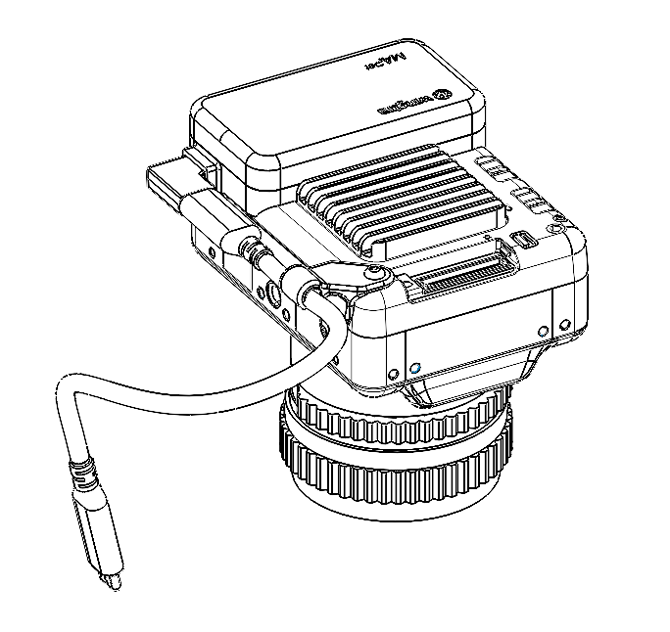
  • Add the cable and ensure it snaps into the cable retainer

7


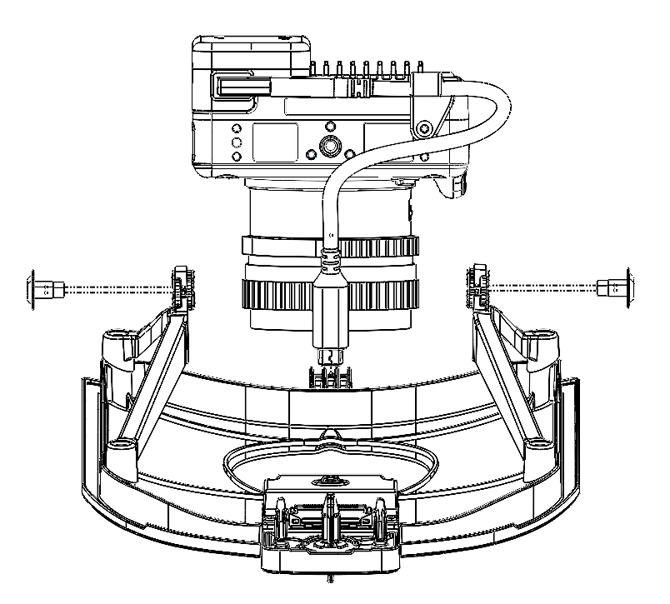
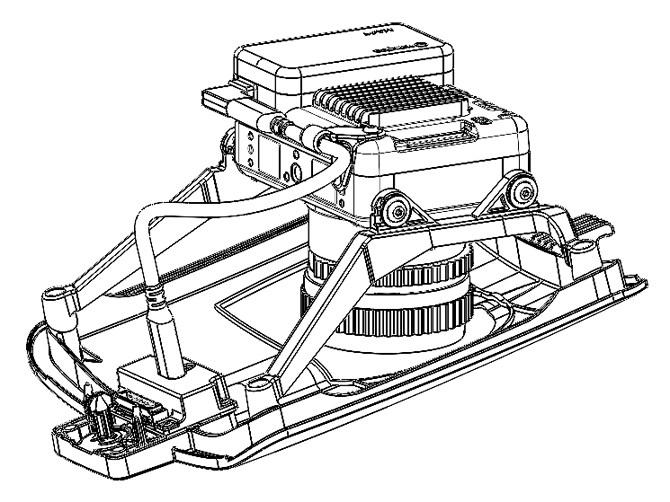
  • Bring the camera in position, the “flight direction” arrow on the camera has to point towards the payload connector of the WingtraRAY mount
  • Insert the camera into the payload mount and secure it with the 4 shoulder screws. 

8

  • You’re done with the payload upgrade