
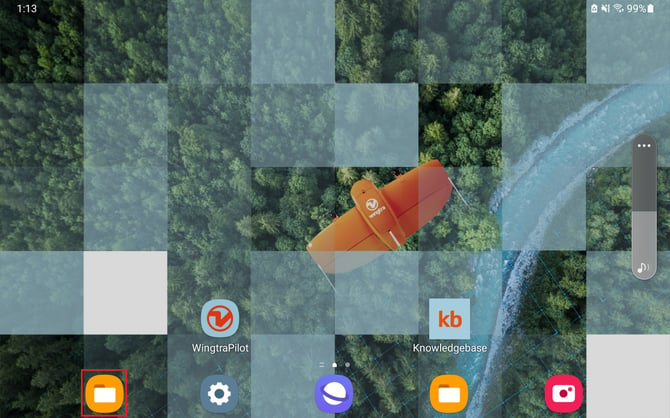
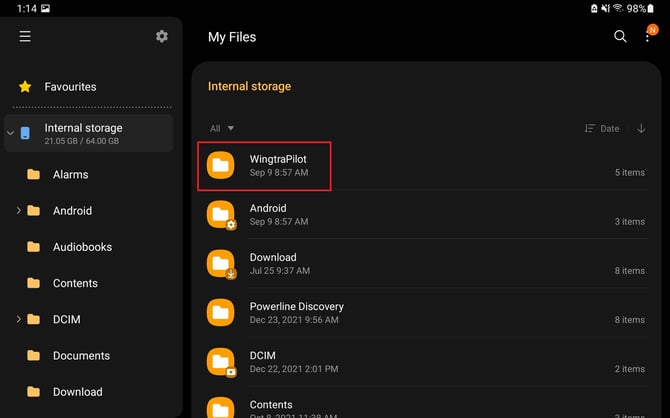
On the left-hand column scroll down and click on internal storage, then find the WingtraPilot folder:
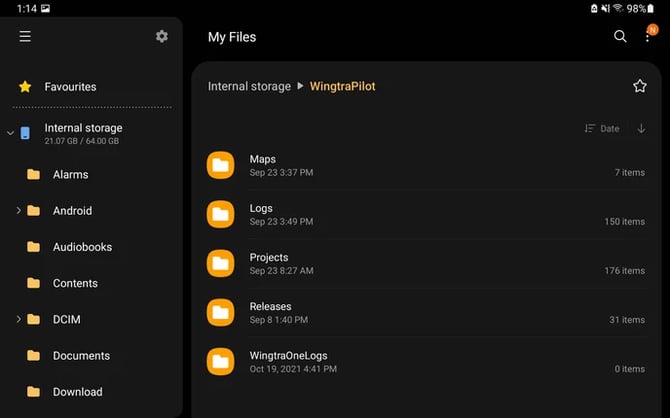
Select Maps, Logs and Projects folders and copy them to the SD card and your computer. Zip the folders and upload them using the WeTransfer portal.
Wingtra App logs
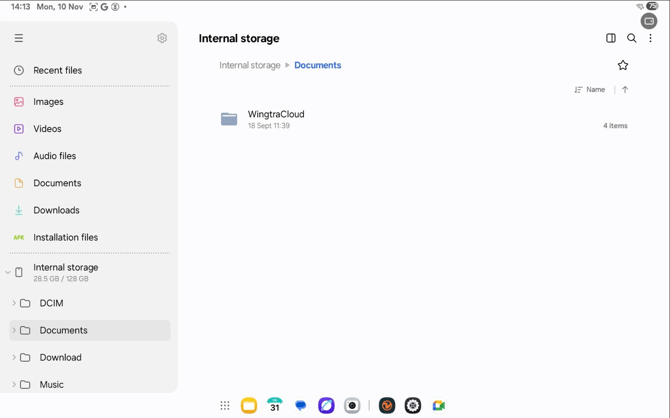
On the left-hand column scroll down and click on internal storage, then find the Document folder, open it:
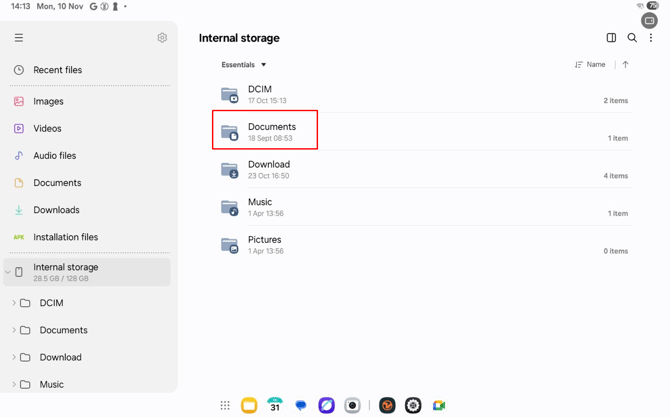
Once inside the Documents folder, click on WingtraCloud folder and open it.
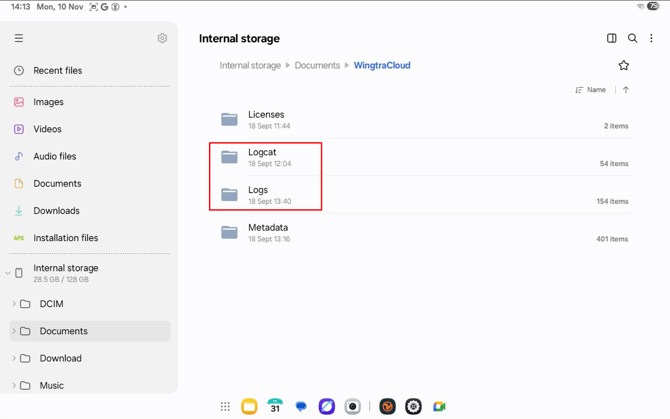
Select "Logs" and "Logcat" folders and copy them to the SD card and your computer. Zip the folders and upload them using the WeTransfer portal, when uploading the folders, ensure you have the Drone ID in the title.
If you experience an app crash please re-open Wingtra App once more before accessing the logs. This will ensure that all relevant information is stored in the logcat folder.
Maps
This folder contains the best return-to-home paths calculated by Wingtra prior to the flight.
Logs
This folder contains logs from the tablet. It only contains brief information about the performance of the WingtraPilot.
Projects
This folder stores the .flightplan mission and file. Click on projects locating the mission relevant to the support request and then find the .flightplan file to send.
Releases
This folder contains all the past installation files if a user needs to revert to a previous version. The APK file is an Android installation file that will update the application once opened on the Android device. The .TAR file is used to update the drone. The user can also access the PDF manual from the firmware release folders. Click here for instructions for updating WingtraPilot and drone.
WingtraOneLogs
This folder contains WingtraOne logs after the logs are transferred to the tablet.