
If there is an issue with obtaining the data from your flight and we have ruled out a technical fault with the drone, the camera logs are required for further investigation. The WingtraOne flight logs do not contain information related to the MicaSense camera usage, so you will need to follow a different procedure to obtain the camera logs.
Every time the camera is powered, .dat files are created and saved in the main folder related to the flight in the camera SD card (“0000SET”, “0001SET”...). These are the log files that contain information about the camera usage.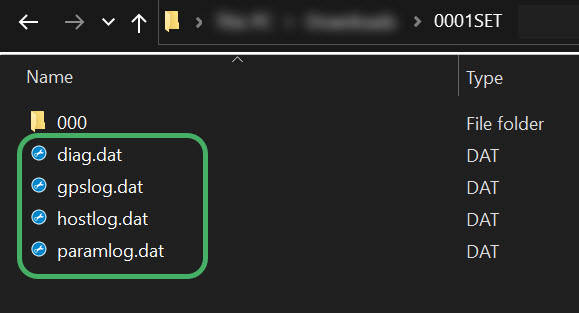
If requested by Wingtra Support, please submit these log files using our uploader, or a file sharing service of your choice. Only MicaSense is able to analyze the logs, so Wingtra Support will next escalate the issue to MicaSense for further investigation. You are also welcome to get in touch with MicaSense directly by opening a ticket.
If requested by Wingtra or MicaSense, the camera serial number can be found on the rear plate of the camera, or in the name of the camera’s WiFi signal.