Skip to content
English
  • There are no suggestions because the search field is empty.

WingtraRAY Field Charging (FCHA) Equipment Setup

This article explains how to set up a WingtraRAY Field Charging (FCHA) Equipment to charge the drone batteries and tablet in the field in case your equipment is running low on energy and your project is not yet complete.


Equipment you need before charging: 
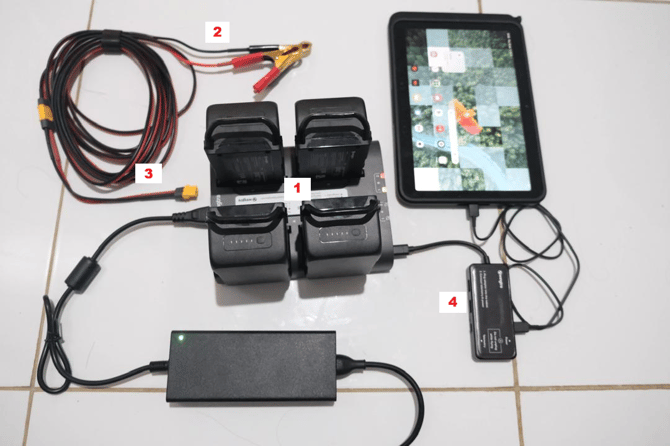
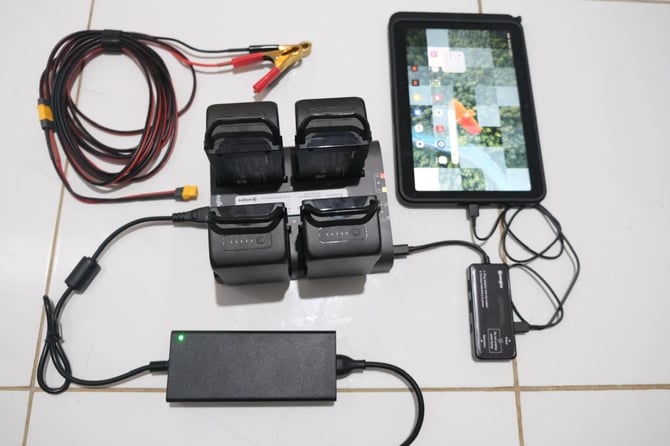
Equipment includes:
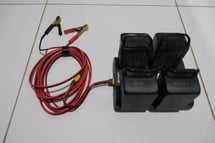
  1. WingtraRAY battery charger
  2. DC Extension Cable and Power Clamps (Red and Black) to power the charger from the car battery
  3. Field Charging AC/DC converter and cables
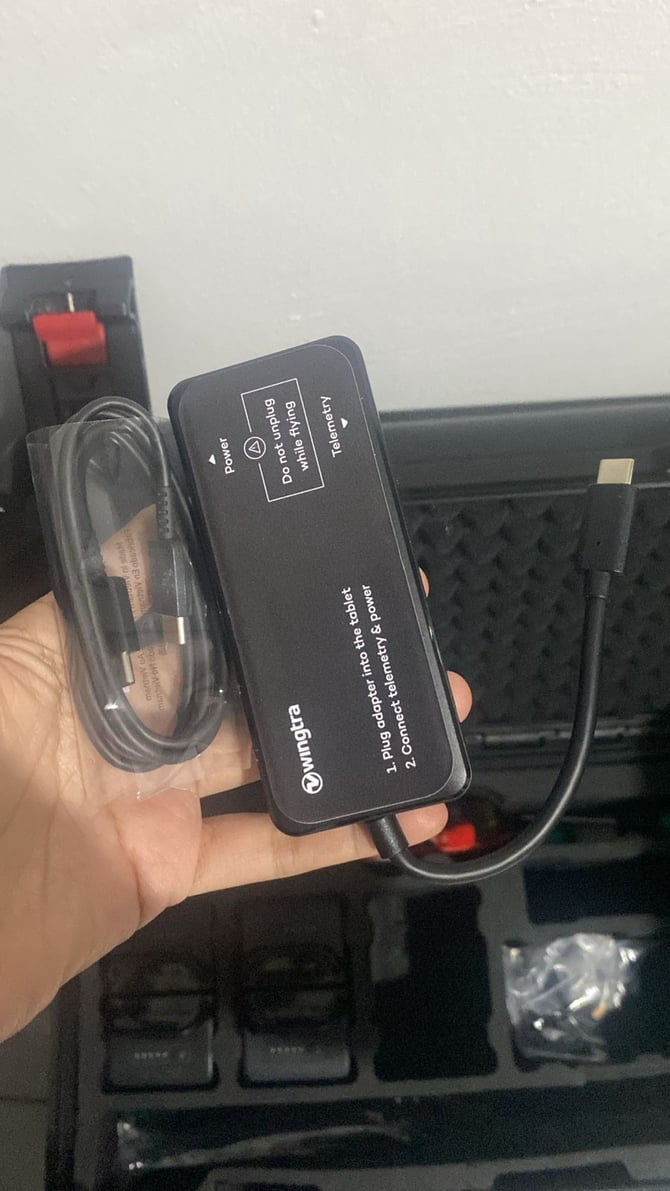
  4. USB-C splitter


Connecting the WingtraRAY Charger to the Vehicle Battery

1


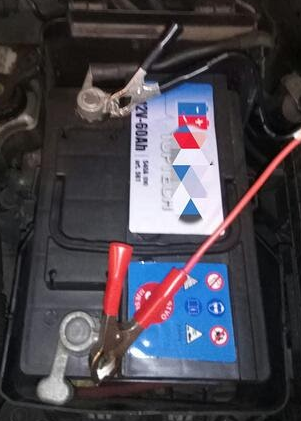
  • Connect the cables from your car battery to the WingtraRay charger. Be careful to connect the positive and negative poles to the correct clamps. The red clamp connects to the positive (+) pole, and the black clamp connects to the negative (-) pole.
  • While charging, make sure that all of the other devices in the vehicle such as radio, lights, wipers, etc are turned off. At the same time, make sure the motor is still running. Keep the cables close enough to the WingtraRAY charger so that they cannot disconnect from the vehicle battery while charging. 

2


  • Make sure that your charger and batteries are on a flat surface so that they don’t slip during charging and cause undesired contact between the wires, which can create a short circuit.

  • To avoid overheating of your vehicle and your WingtraRAY charger, please avoid direct sunlight and park your vehicle so that you can charge your batteries in the shade.


Using the USB-C Splitter to Charge the Tablet

3


  • The Field Charging equipment kit includes a USB-C splitter with Velcro, which can be used to charge the tablet directly from the WingtraRAY charger during field operations.

4


  • The USB-C splitter is connected to the USB-C port on the WingtraRAY charger. Once connected, the splitter provides a power output that allows the tablet to be charged.


The FCHA setup allows drone batteries and the tablet to be charged directly from a vehicle power source in the field. By connecting the charger correctly, keeping the vehicle engine running, and using the USB-C splitter for tablet charging, field operations can be safely extended without the need to return to office.