Skip to content
English
  • There are no suggestions because the search field is empty.

Remove the Altum camera from the WingtraOne

Learn how to remove the Altum camera from the mount and the WingtraOne.

Time required 15 min
Difficulty Easy
Equipment

WingtraOne, Altum camera, camera mount, TX10 75 mm Torx screwdriver, flight batteries


This process should be carried out by all customers themselves. Wingtra's warranty is not affected by this replacement.

Step by step instructions

Step 1 Open the top cover
Altum_cover

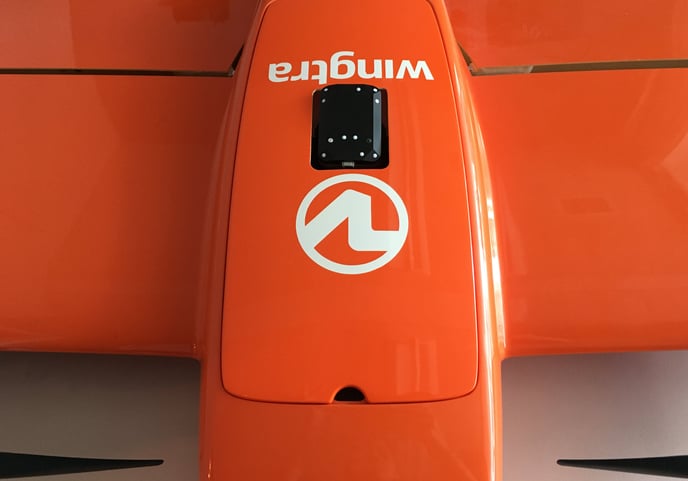
  • Power off the WingtraOne and lay it down on a flat surface, e.g. table, with the nose pointing to your direction.
  • Open the top cover with the opening for the reflectance panel.

Step 2 Remove the Altum camera with the mount from the WingtraOne
altum plug

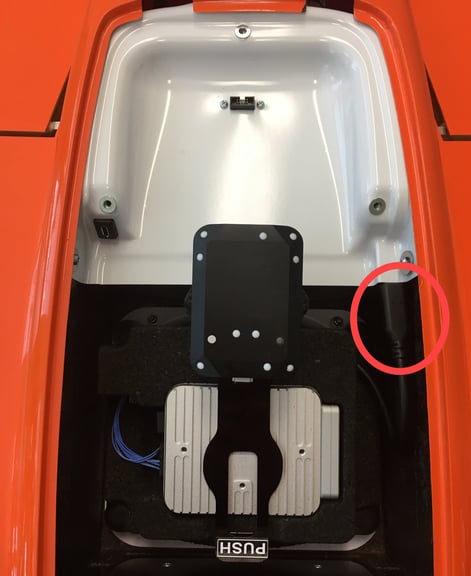
  • Unplug the USB-C universal payload connector on the top right side by pulling the cable out.

altum screw

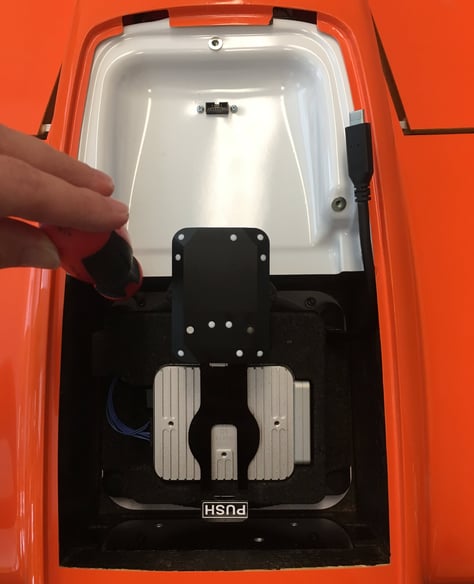
  • Use the Torx screwdriver to unscrew the four screws in each corner of the payload area.
💡 The screws are attached to the camera mount. You do not need to worry about losing them inside.
  • Lift out the camera mount assembly.

Step 3 Remove the Altum from the mount
altum_remove_push
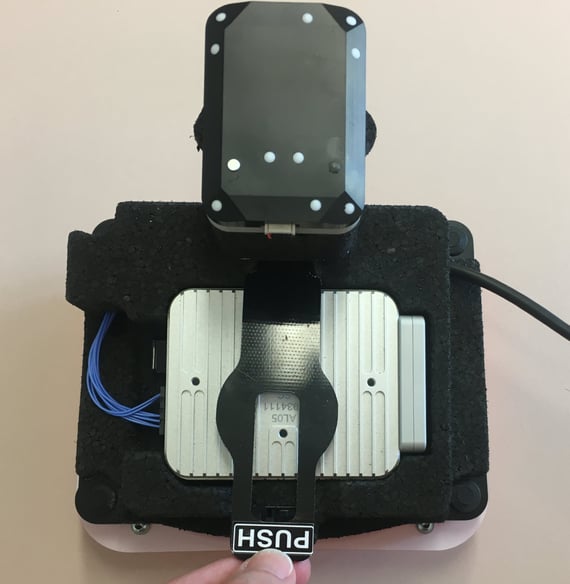
  • Remove the retainer, pressing on the PUSH button.
  • Remove the lens protector from the camera.
  • Push the camera up from the sensor side so that it comes out of the mount.
altum_wifi
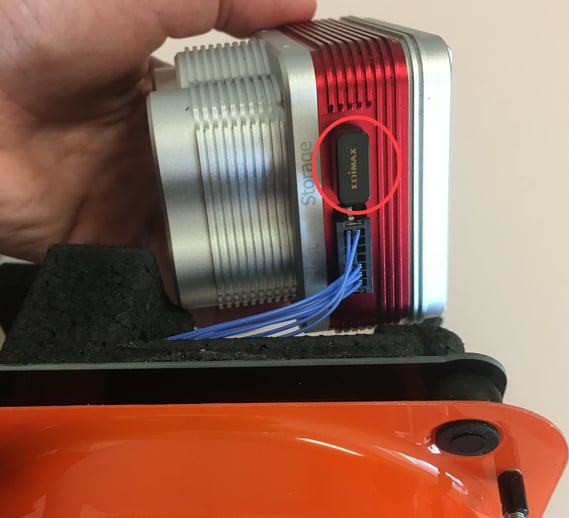
  • Remove the Wi-Fi dongle on the side of the camera.
altum_pins
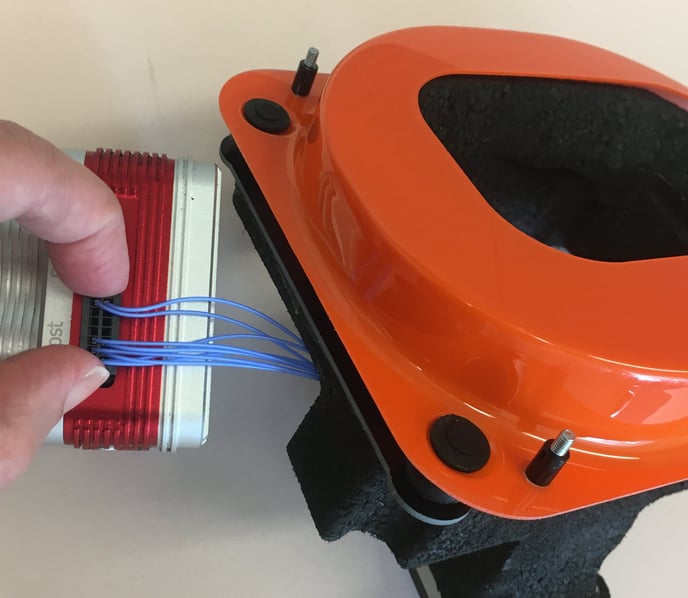
  • Squeeze the retainer pins on the camera cable connector and pull it out.