
Overview
WingtraRAY can be equipped with an optional parachute add-on, providing an additional layer of operational safety and enabling legal flight over populated areas in many countries.
What’s included in the parachute add-on
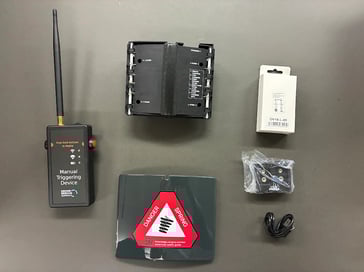
The package contains:
-
Parachute module
-
Manual trigger device
-
Parachute bay cover with warning label
-
Battery and cable
How to install the parachute add-on
- Remove the existing parachute bay cover using a credit card or your fingernails.
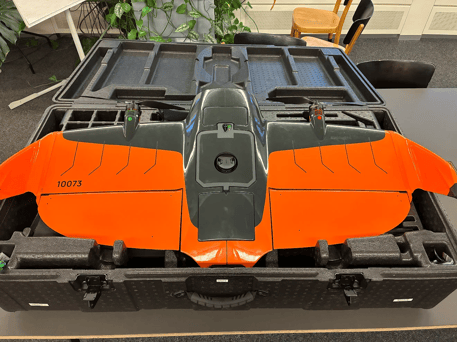
- After removing the cover, locate:
- The parachute module connector
- The attachment points
- The cord attached to the drone’s airframe (for the parachute main riser)
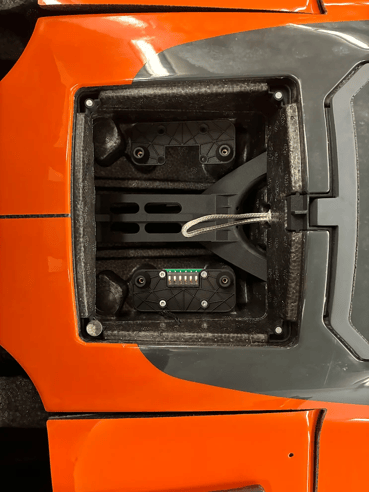
- Open the carabiner. Twist the carabiner on the main riser (attached to the parachute module) until it is fully open.
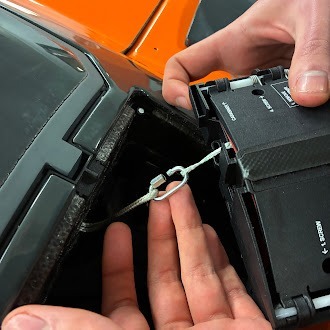
- Hold the two tethers on one side of the carabiner and slide it back into the slot on the side of the parachute module.
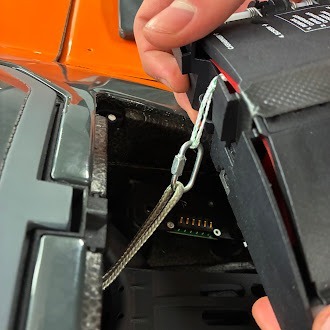
- Hold the two tethers on one side of the carabiner and slide it back into the slot on the side of the parachute module
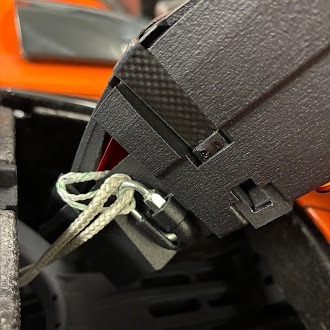
- Place the parachute module into the bay. Ensure the main riser and carabiner are not underneath the module. Align the module so the screws line up with the mounting holes.
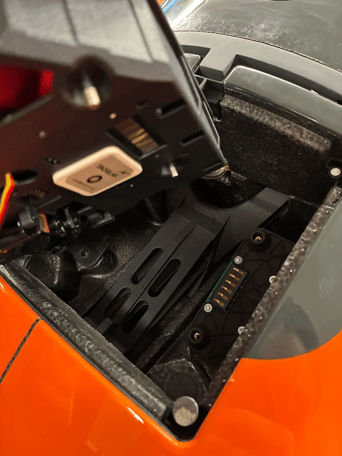
- Using a Torx T10 driver, tighten the four screws on top of the module finger-tight only to avoid damaging the threads.
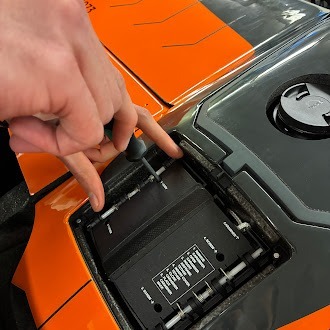
- Place the included parachute bay cover with warning label on top of the module to protect it from dirt, dust, and moisture.
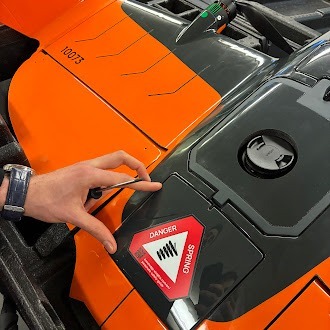
How can I verify the parachute is correctly installed?
-
Power on the drone: Insert the batteries into the WingtraRAY and power it on using the power button.
-
Power the manual trigger device: Insert the battery into the manual trigger device and turn it on.
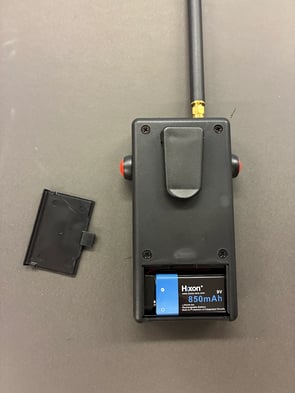
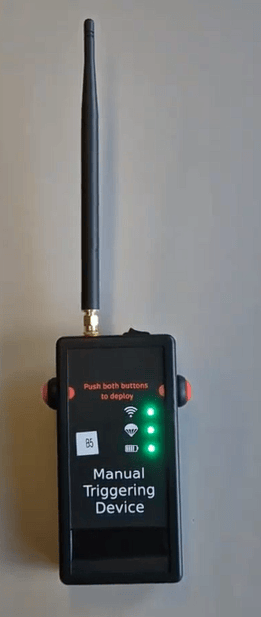
- Check the indicator lights: All three LEDs on the manual trigger device should turn solid green, and the middle LED should flash green.
This indicates that:- The parachute is correctly installed
- The system is connected to the WingtraRAY
- The parachute system is functional
Important notes:
-
The parachute automatically powers on each time the drone starts.
-
The parachute will function even without the manual trigger device.
-
The manual trigger device allows you to verify parachute system status before flight.